 3 min read
Multiple streams & Manual key mode
Run more than one 24/7 loop at once (Pro), and stream to a channel without connecting its YouTube account at all.
Each stream is its own tab, its own playlist
Your dashboard shows every stream as a tab — rename them to keep track of what's what. Each one has a fully independent playlist, broadcast details, and Go Live state; your uploaded videos live in one shared library across all of them, so the same video can appear in more than one stream at once.
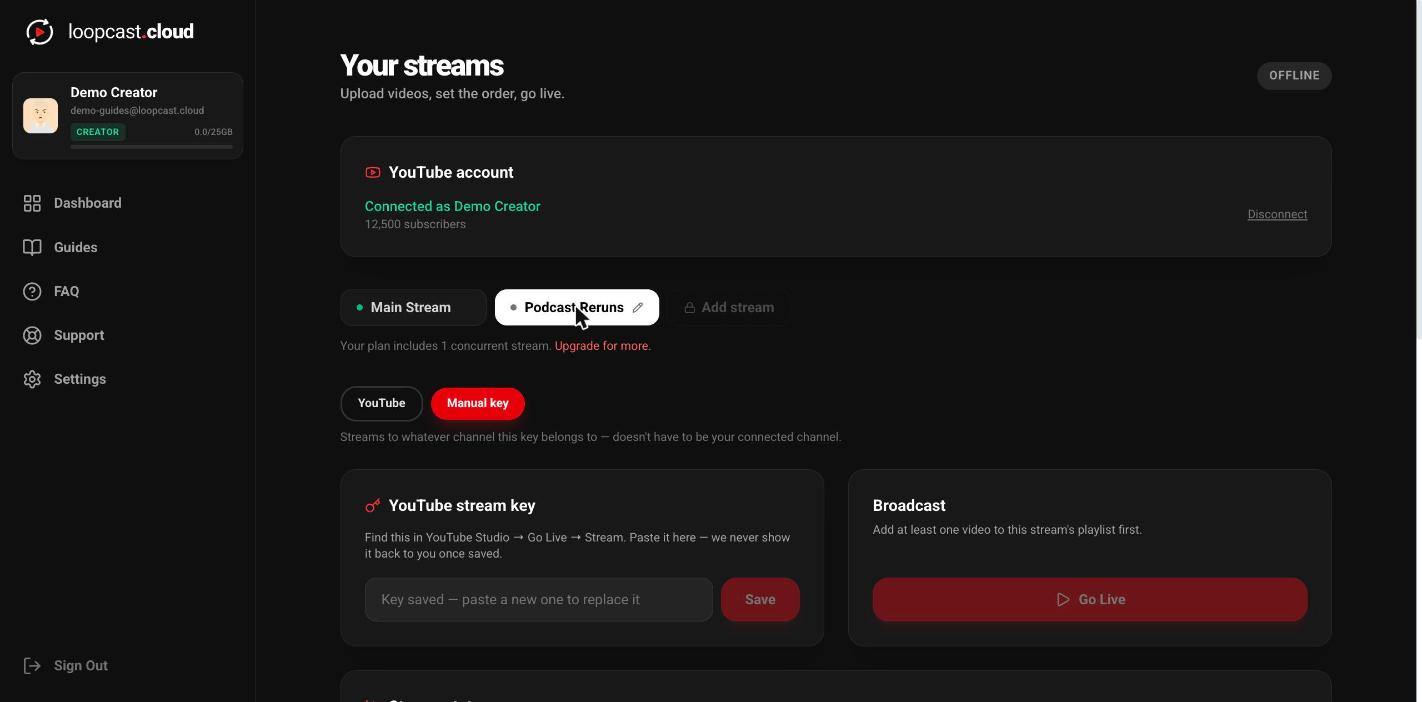
On desktop
How many you can run
ProFree and Creator are limited to one stream at a time. Pro includes three concurrent streams.
Adding a 4th, 5th stream (or more)
ProNeed more than Pro's three? Go to Settings → Plan, and use the +/− stepper under Extra stream slots. Each slot is $7/mo, up to 5 extra slots on top of your three, so a Pro account can run up to 8 concurrent streams total. It takes effect immediately — no waiting on a page refresh — and prorates on your existing subscription rather than starting a separate charge.
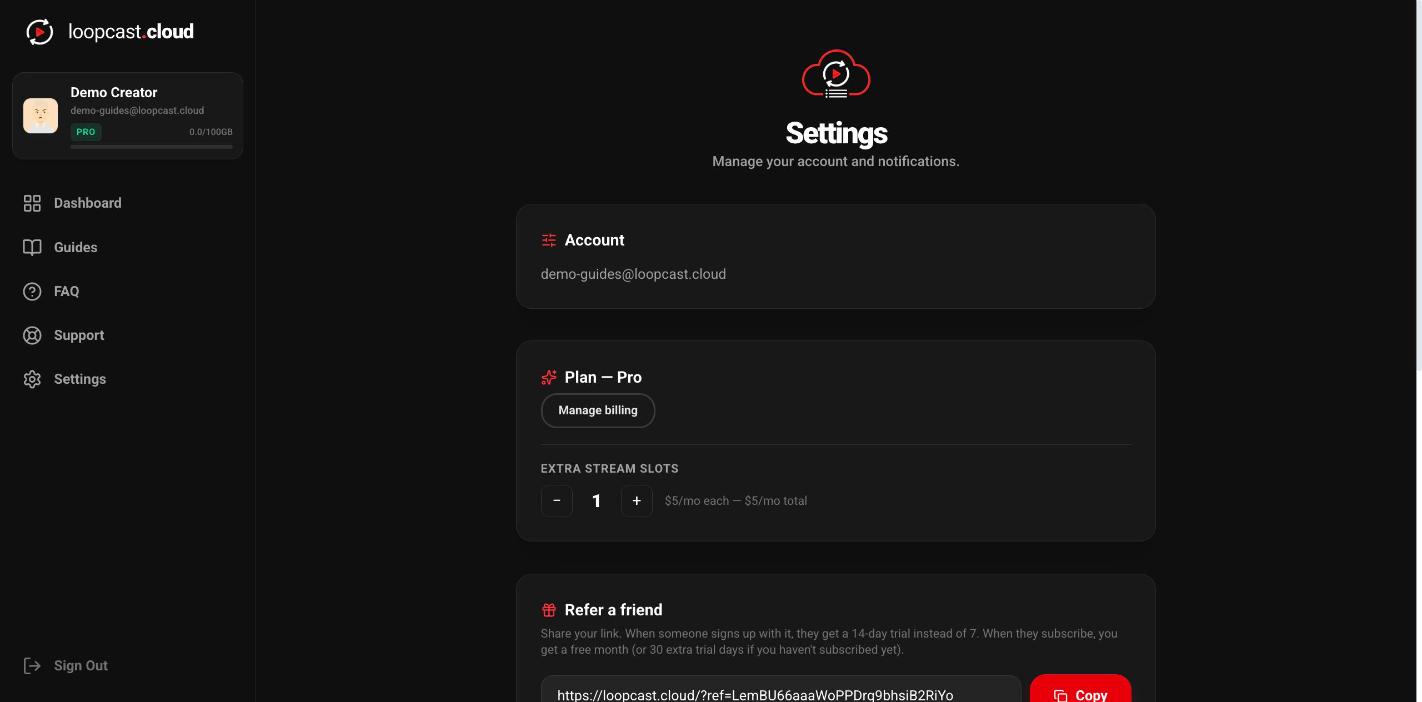
On desktop
Manual key mode — no YouTube connection needed
Each stream has its own YouTube / Manual key toggle, independent of the others. Switch a stream to Manual key and paste a stream key from any channel's own YouTube Studio (Go Live → Stream) — including a channel you don't manage yourself and never connect through OAuth.
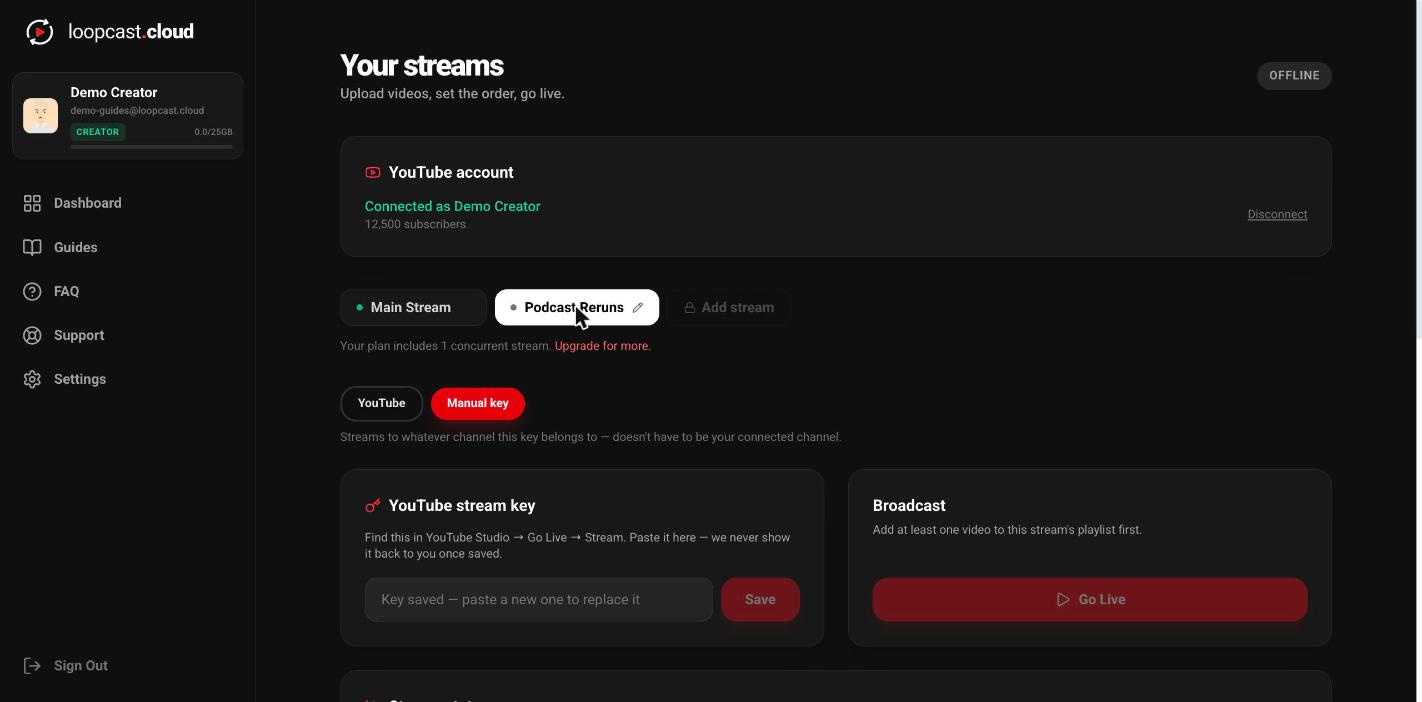
On desktop
Why that's useful
It means running your own channel and a client's channel side by side — your own stream on YouTube mode, connected normally, and theirs on Manual key with a key they hand you, without ever needing their Google login.
Worth knowing
- ·Switching a stream to Manual key doesn't touch its playlist — the same videos keep playing, just pushed to a different destination.
- ·Manual key mode skips Loopcast-managed broadcast details entirely — title, description, and thumbnail are whatever's already set on that key's broadcast in YouTube Studio.
- ·Your stream key is stored so only you can read or change it — Loopcast never displays it back to you once saved.
Connect your YouTube account