 Play it on repeat, live
Loop video live stream on YouTube
To loop a video on YouTube Live, add it to a Loopcast playlist and click Go Live. Loopcast plays the playlist from start to finish, then starts it again, for as long as the stream is live. One video repeats on its own; several videos loop as a set. It all runs from the cloud, so your computer can be off.
No OBS. No dedicated PC.
Everything renders in our cloud. Close your laptop and the stream keeps going — no always-on computer, no encoder to configure. Update your playlist any time and it picks up automatically at the next loop, with no downtime — built to run 24/7/365, for years on end.
Connect once, live in seconds
Sign in with YouTube and Loopcast creates the broadcast for you — no stream key to copy, ever. Free to connect on any plan.
How it works in Loopcast
- 1
Upload your videos
Upload from your phone or computer, one file or a batch. Loopcast converts each one to a stream ready format in the background, so you do not need to re encode anything first.
- 2
Build the loop
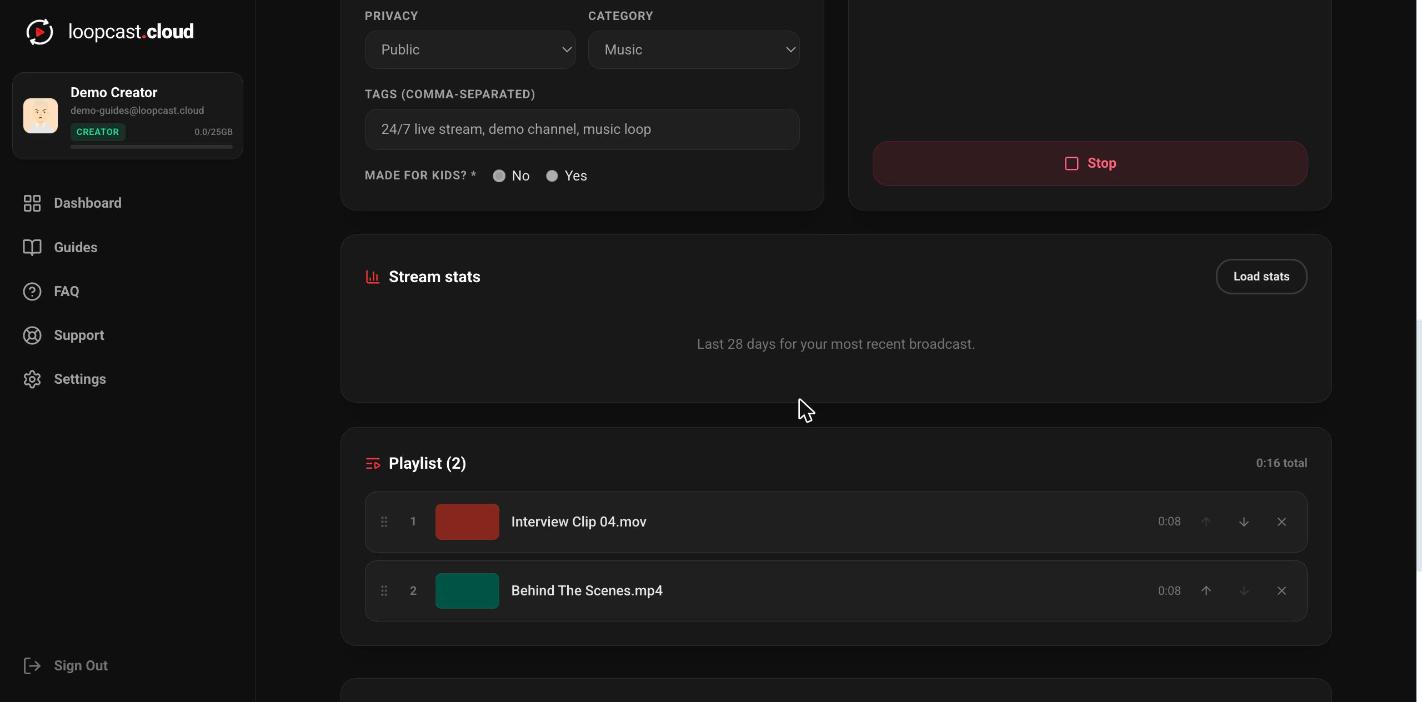
Add one video or many to the stream's playlist and drag them into order. Use Duplicate to add the same clip more than once, for example to play a favorite twice per pass.
- 3
Connect YouTube
Sign in with the Google account that owns the channel and Loopcast creates the live broadcast for you, with no stream key to copy. You can paste a stream key instead if you prefer.
- 4
Go live and let it repeat
Click Go Live. When the last clip ends the playlist starts over, with no gap for you to manage and no restart button to press.
Looping on YouTube Live versus a looping video
YouTube's Loop option repeats a video in your own player, for you only. A loop video live stream is different: it is a real live broadcast on your channel that repeats for everyone who tunes in, with the Live badge and live chat.
If you only want to play something on repeat in your browser, our free Loop a YouTube Playlist tool does that. To broadcast the loop to your audience, you need a live stream.
How long should the loop be?
A short loop works for ambience or a visualizer. For channels where people come back, a longer playlist means returning viewers are less likely to land on the same part every time. The Loop Playlist Planner helps you work out how much video you need.
- ·Videos can be any length on Creator and Pro. During the free trial each video can be up to 1 hour.
- ·Trim a clip in Loopcast if the start or end does not loop cleanly.
- ·Swap or reorder clips while live; the change applies at the end of the clip that is playing.
Why 24/7 grows a channel
A loop keeps your channel live every hour of the day, which gives YouTube a steady stream of chances to show it to new viewers in live results.
Watch time builds while the loop runs, and with auto restart on Creator and Pro each part is saved as a replay so the hours keep counting.
Put links to your other socials in the description. People who find the loop can follow you there, so the stream grows more than one channel.
Pricing
Creator
$11/mo
or $111 a year
- 1 live-loop YouTube stream
- Connect up to 3 YouTube channels
- 25GB storage
- Unlimited video length
Pro
$33/mo
or $333 a year
- Up to 3 live-loop YouTube streams
- Connect a different YouTube channel to each stream
- 100GB storage
- Unlimited video length
Pro can add up to 5 extra stream slots at $7 a month each. Cancel any time. Full pricing and plan comparison
How the free trial works
In supported countries (the US, Canada, Puerto Rico, the UK and Ireland, Australia and New Zealand, most of Western Europe and the Nordics, the Gulf states, Japan, South Korea, Singapore, Hong Kong, Taiwan and Israel) every free account gets one 24 hour live trial with no card required. Starting it unlocks uploads and gives you 7 days to set up, and the 24 hours only start when you first go live. Trial videos can be up to 1 hour each, and a short Loopcast ad plays once per pass of your loop. Everywhere else, uploading and going live start with a plan.
Frequently asked questions
Can I loop a single video on YouTube Live?
Yes. Put one video in the stream's playlist and go live. Loopcast plays it, then plays it again, for as long as the stream is live.
Is there a gap between loops?
You do not need to do anything between passes. Loopcast moves straight from the last clip back to the first as part of the same live stream.
Can I loop a video live without OBS?
Yes. Loopcast streams from the cloud, so there is no OBS scene to set up and no PC that has to stay on.
How do I keep replays of a loop that runs for days?
YouTube only saves the first 12 hours of a live stream. Turn on auto restart (Creator and Pro, connected YouTube account) and Loopcast starts a fresh broadcast every 6, 8 or 11 hours so each part is saved. The video keeps playing through the switch.
How much does it cost to loop a video live 24/7?
Creator is $11 a month for one 24/7 stream with 25GB of storage. Pro is $33 a month for up to 3 streams at once with 100GB, and can add up to 5 extra stream slots at $7 a month each. Paying yearly is $111 or $333, about 2 months free. Cancel any time.
Is there a free trial?
Yes. In supported countries (the US, Canada, Puerto Rico, the UK and Ireland, Australia and New Zealand, most of Western Europe and the Nordics, the Gulf states, Japan, South Korea, Singapore, Hong Kong, Taiwan and Israel) every free account gets one 24 hour live trial with no card required. Starting it unlocks uploads and gives you 7 days to set up, and the 24 hours only start when you first go live. Trial videos can be up to 1 hour each, and a short Loopcast ad plays once per pass of your loop. Everywhere else, uploading and going live start with a plan. Upgrade any time to remove the ad and keep streaming.
Guides, tools and reading
Put your video on a live loop
Upload it, connect YouTube and go live. Loopcast repeats it from the cloud for as long as you want.
No card required for the trial. Plans from $11/mo. See pricing
More ways to use Loopcast
We use cookies for analytics and advertising to understand how people use Loopcast and measure our marketing. See our Privacy Policy for details.